Private day counter · no account

Remember the last time. Count down to the next.

A calm, private day counter for the last time and the next time — no account, no ads, no subscription. Everything stays on your device and syncs through your own iCloud, and it quietly learns your rhythm to flag what's due before you forget.

Free to start · iPhone & iPad
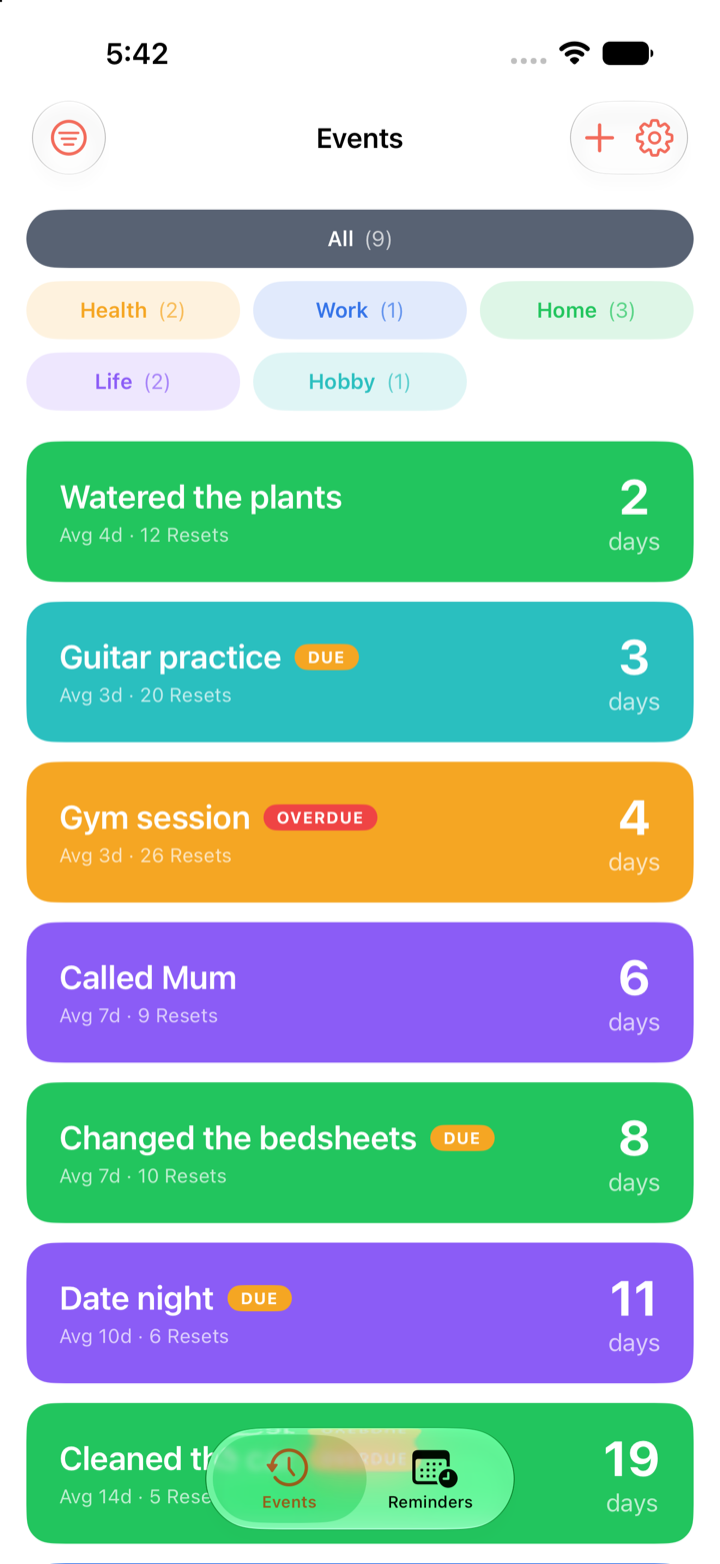
Days Since events list — days since you last did each thing
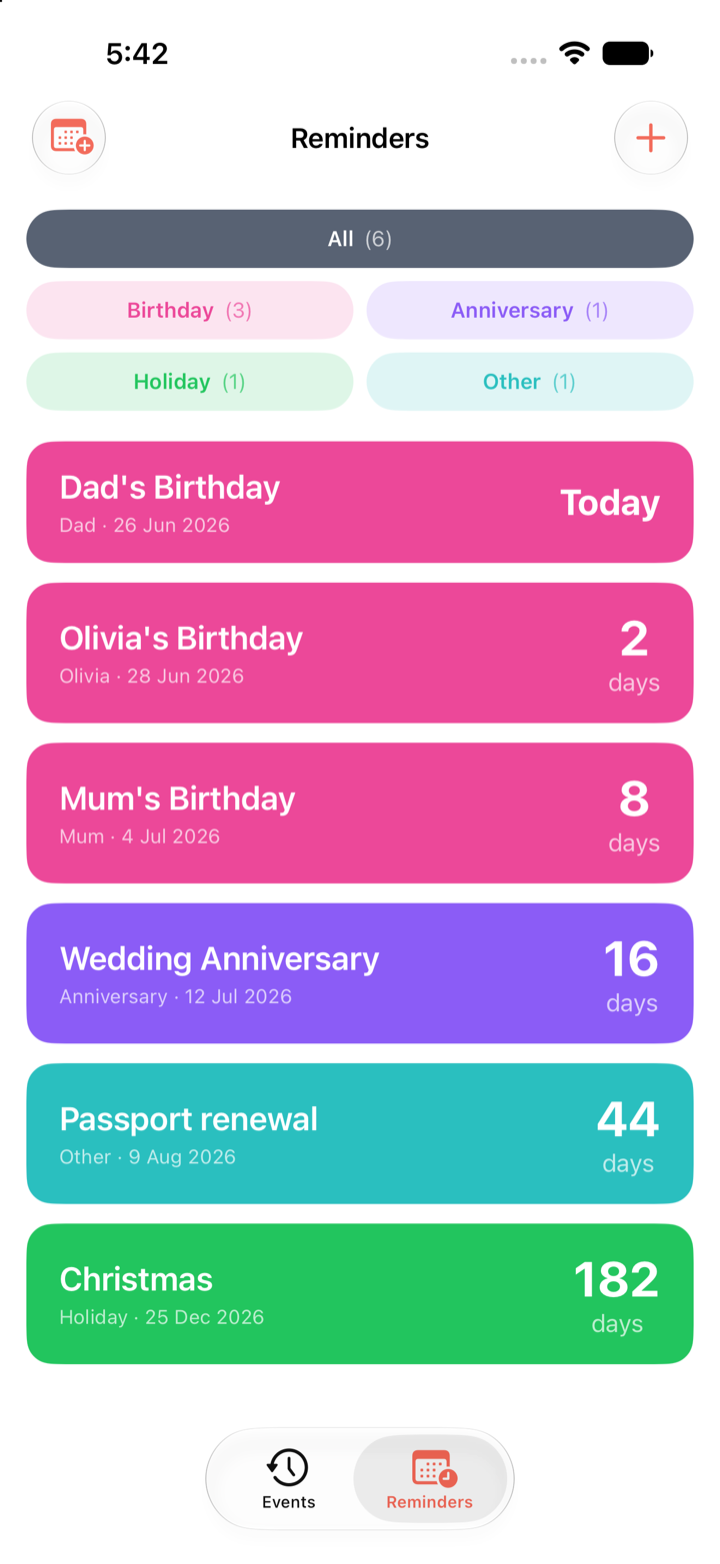
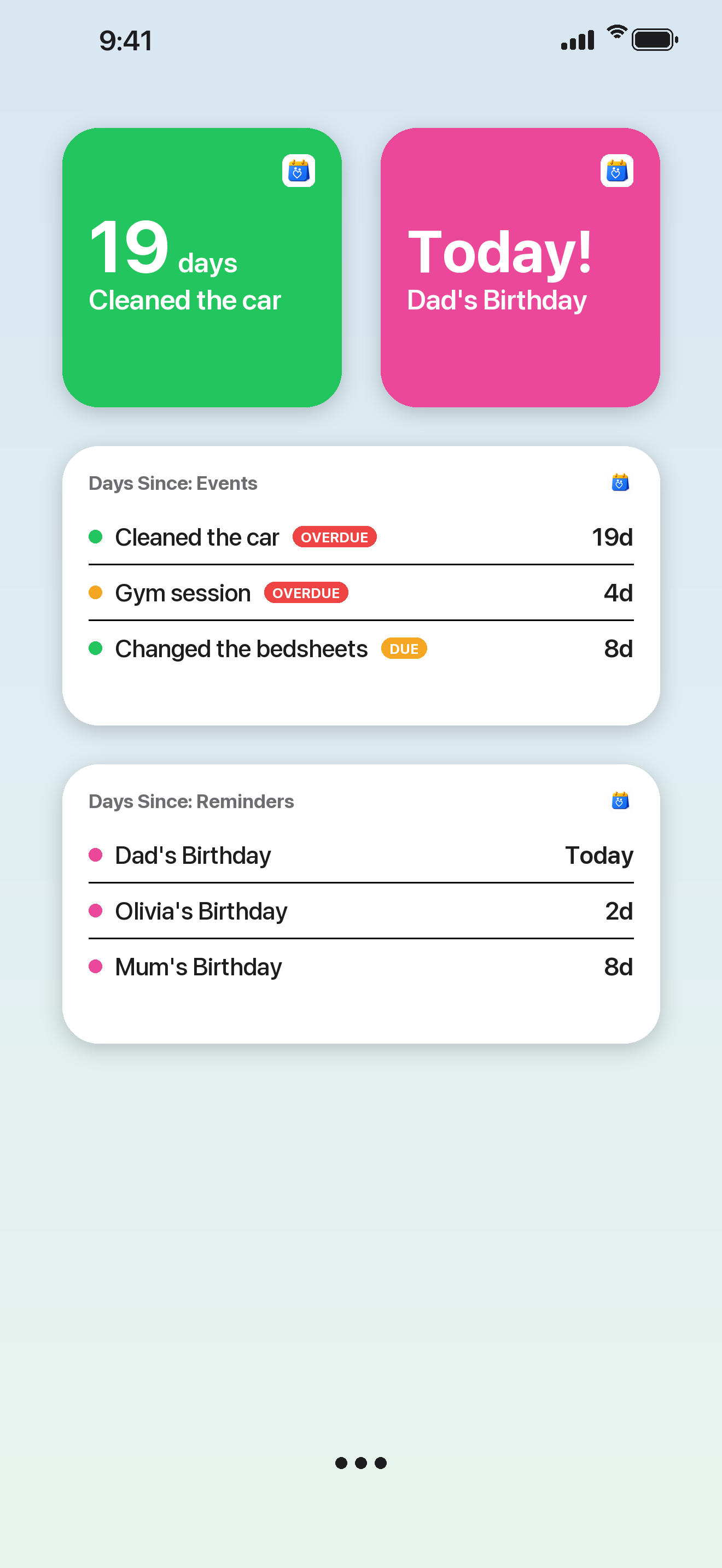
Days Since reminders list — countdown to upcoming birthdays and dates
Two halves, one app

Count up, and count down.

Most of life's recurring moments are one of two questions: how long since I last did this, and how long until the next one. Days Since answers both.

↑ Count up · Days since

When you last did it

Log a chore, habit, health note or bit of home maintenance, and see a clear count of the days since. Days Since even learns your rhythm and flags what's Due or Overdue — a nudge before you forget.

Home Health Hobby Life Work
↓ Count down · Days until

What's coming next

Add the dates that matter and see how many days are left. Reminders repeat every year with correct next-date handling, and you can choose local alerts before the day.

Birthday Anniversary Holiday Other
Smart status

It learns your rhythm.

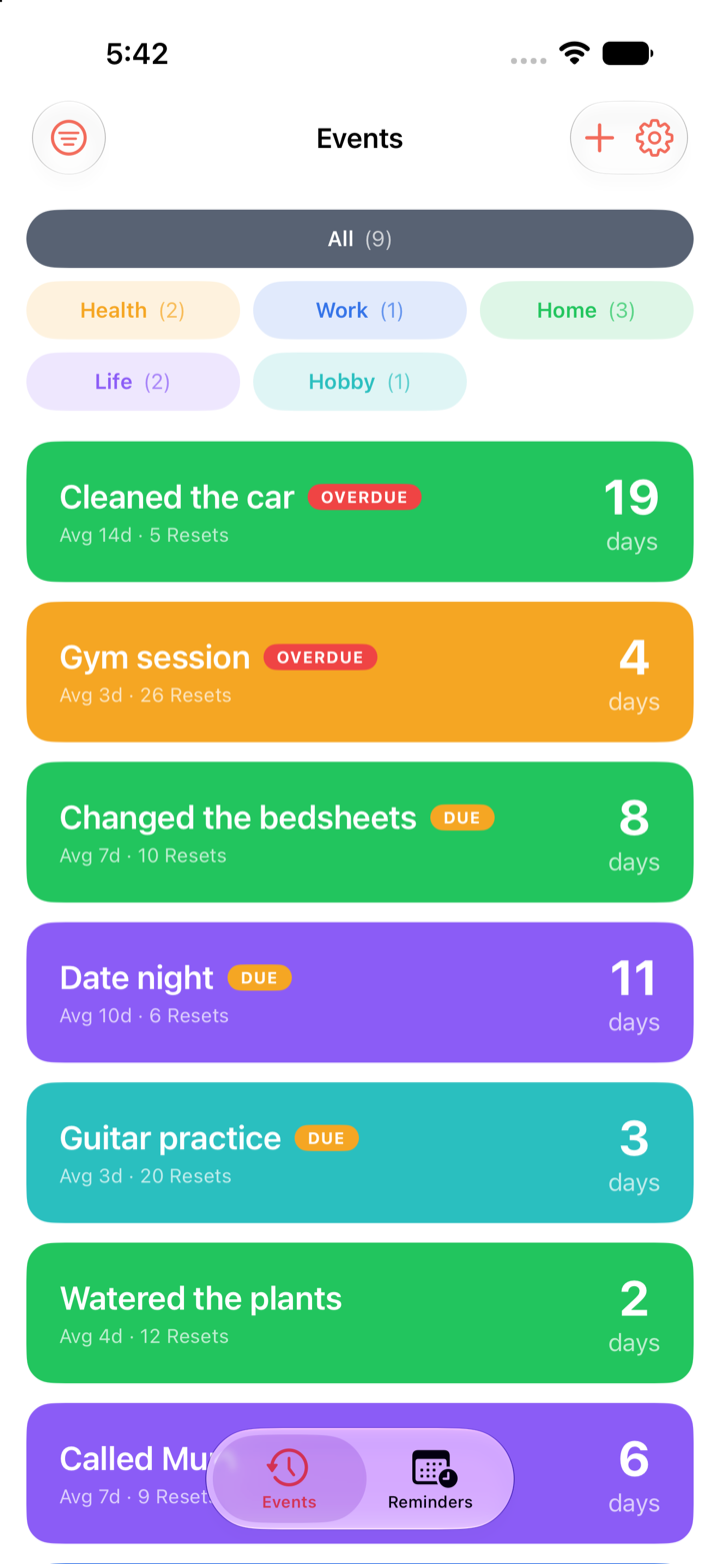
Not everything runs on a fixed schedule. Days Since quietly learns the average gap between times you do something, then flags it Due or Overdue based on your own pattern — not an arbitrary date.

  • Learns the average gap from your history
  • Clear Due and Overdue badges
  • Sort by what needs doing most
Days Since events sorted by status, with Due and Overdue badges
History & stats

Every counter tells its story.

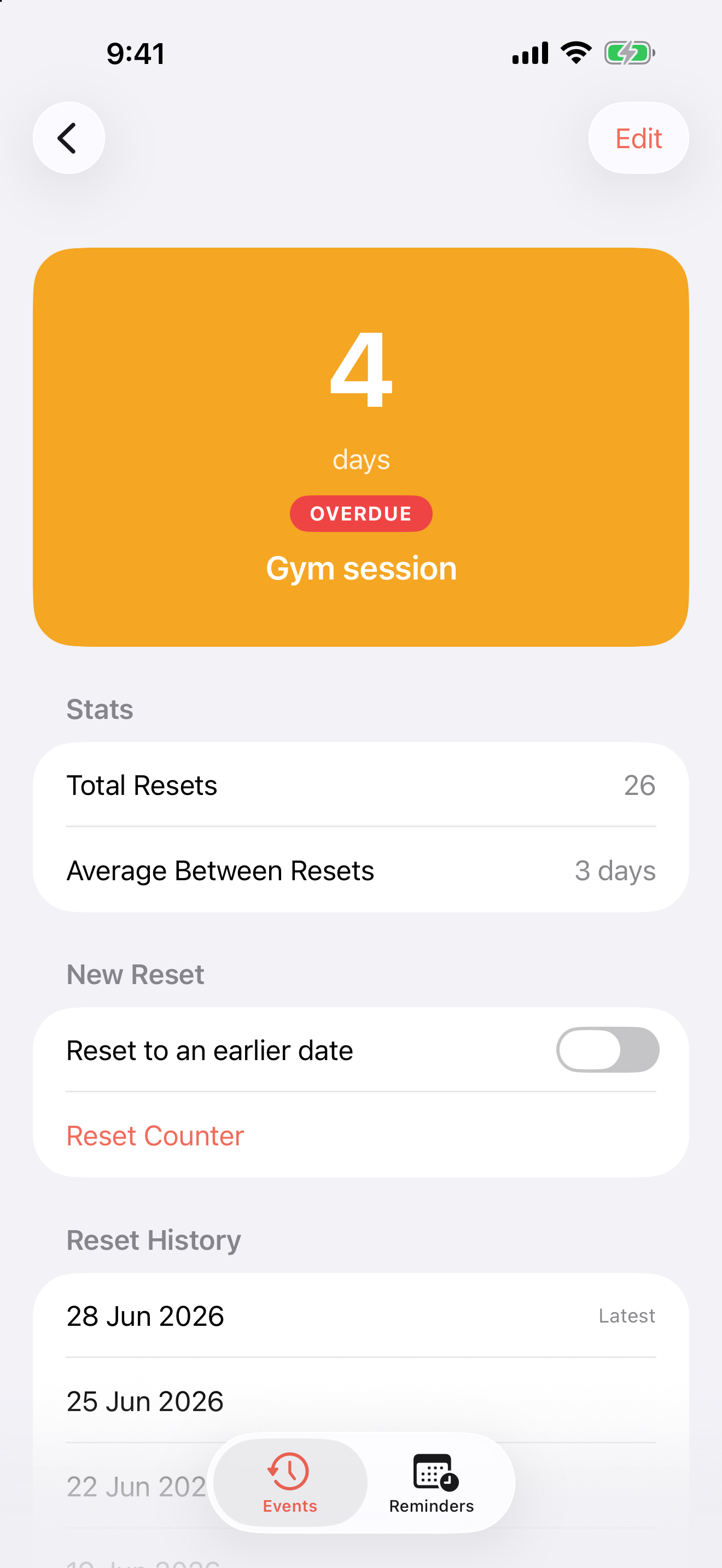
Tap any event for the pattern behind the number — how many times you've reset it, the average gap between resets, and the full history. Forgot to log one? Reset to an earlier date and the stats stay honest.

  • Total resets and average gap at a glance
  • A full reset history for every event
  • Backdate a reset if you logged it late
Days Since event detail — day count with total resets, average between resets and reset history
Categories

One part of life at a time.

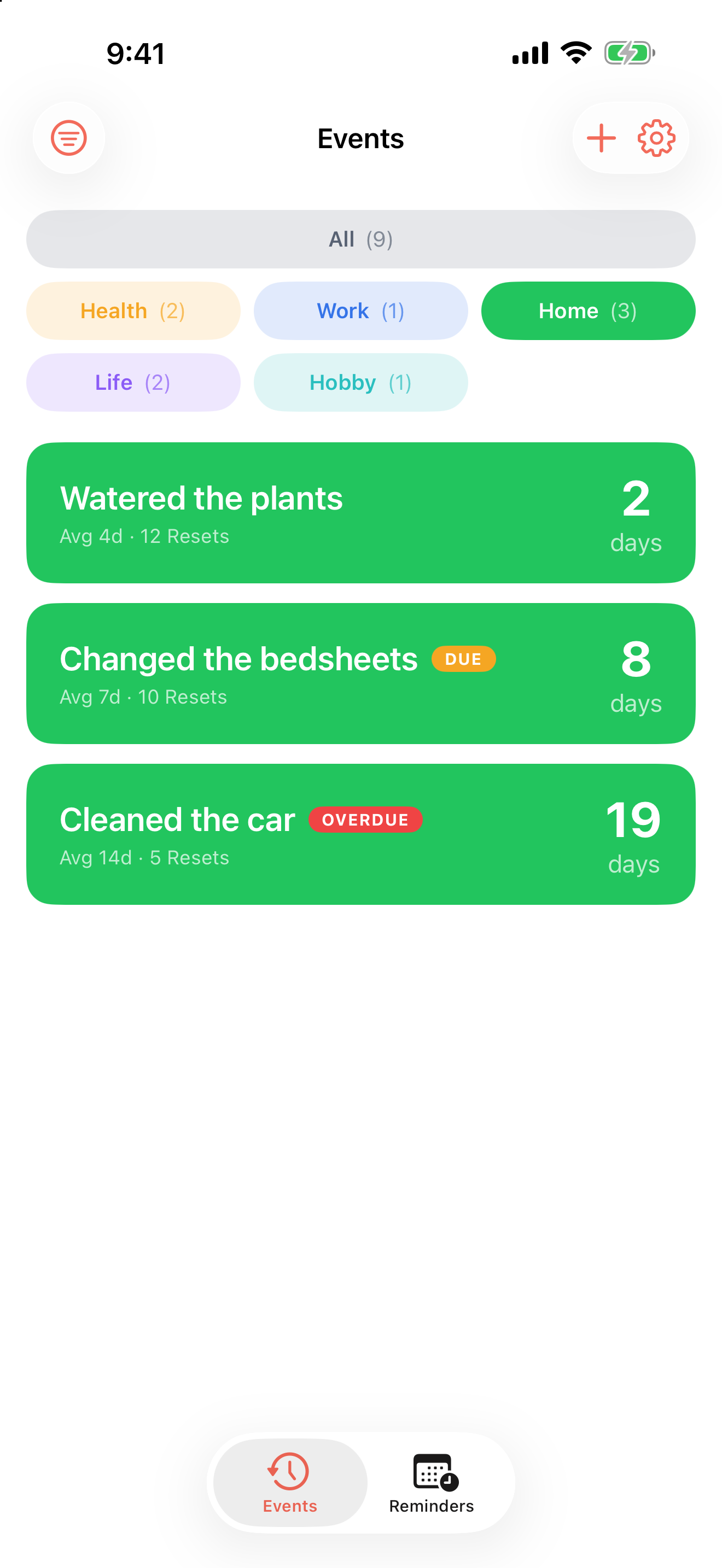
Home, Health, Work, Life, Hobby — every event gets a calm, colour-coded category, and one tap filters the list to just what you're dealing with right now. Live counts show where things are piling up.

  • Five colour-coded categories
  • Filter with a tap, counts included
  • Due and Overdue still stand out
Days Since events filtered to the Home category, with colour-coded category chips
Calendar import

Bring in birthdays in a couple of taps.

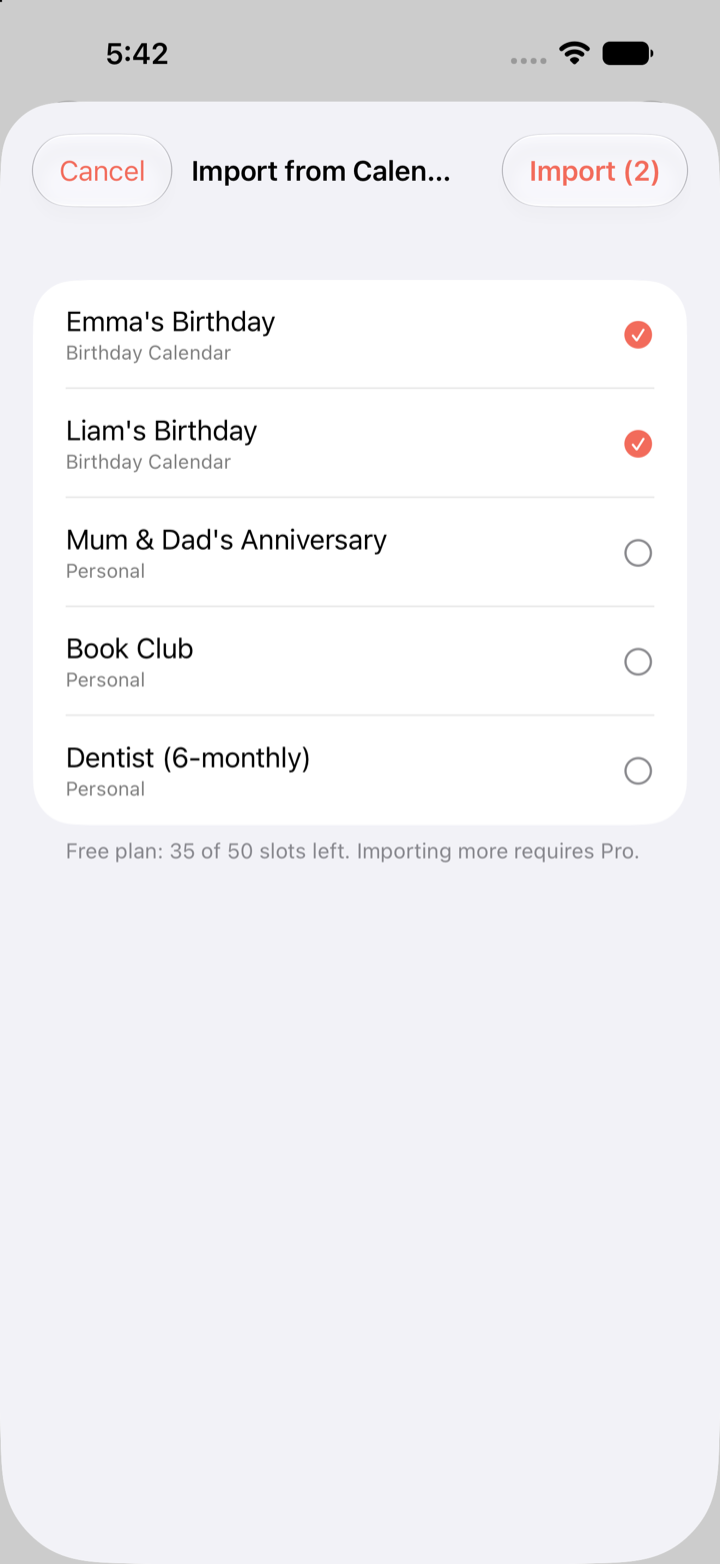
Already have birthdays and recurring dates in your calendar? Import them straight into your reminders — no retyping. Calendar access is optional and used only for import.

  • Import birthdays and recurring events
  • Pick exactly what to bring in
  • Optional — read only when you import
Days Since import-from-calendar sheet, selecting birthdays to import
Countdowns

Know the day — and have the words.

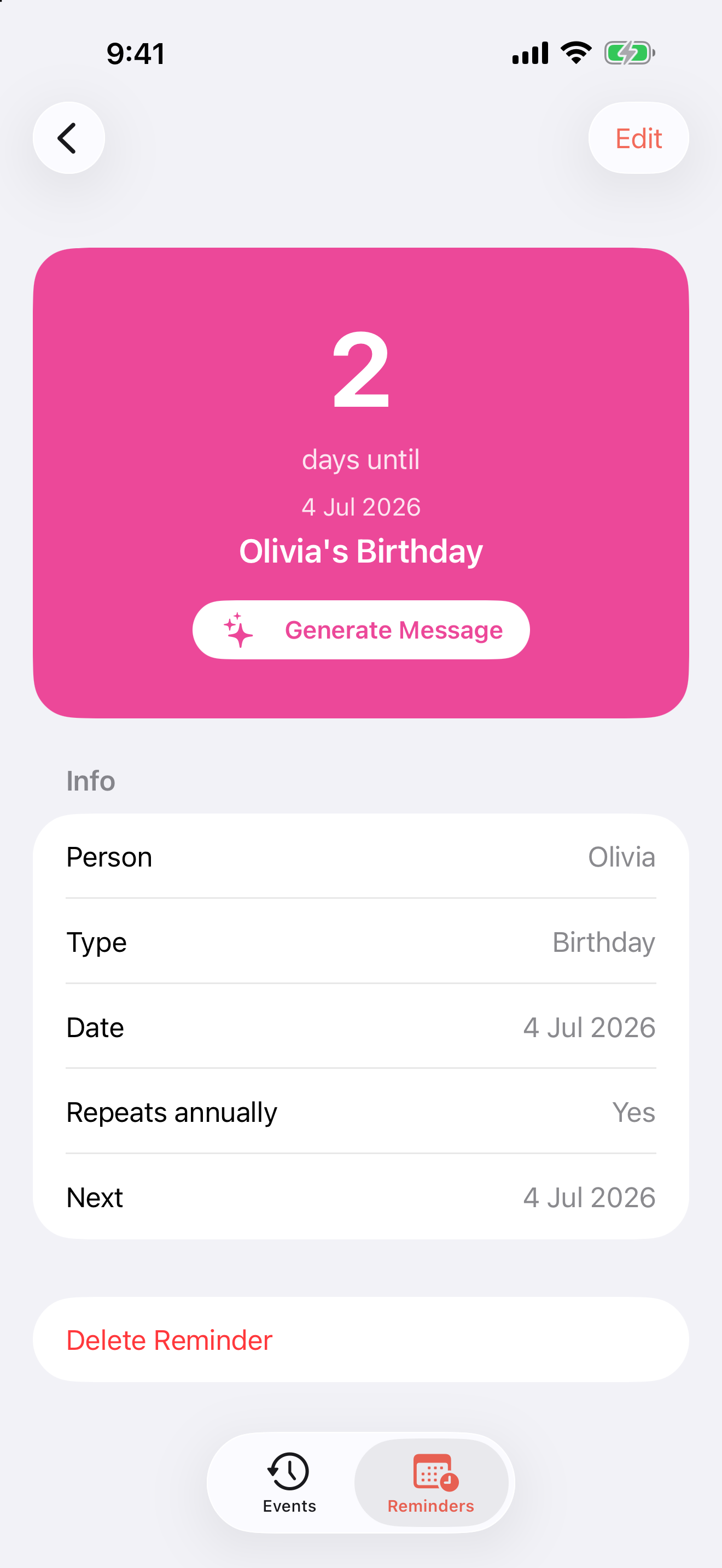
Open any reminder for a clear countdown to the date, with annual repeats and the next occurrence worked out for you. And when it's a birthday, Apple Intelligence can draft a warm message right on your device — nothing sent anywhere.

  • Clear countdown to the exact date
  • Yearly repeats with the next date handled
  • On-device AI drafts a birthday message (iOS 26)
Days Since reminder detail — countdown to a birthday with on-device Generate Message button
Private by design

Yours, and only yours.

Days Since has no account to sign up for and no server of ours behind it. Your data lives on your device and in your own private iCloud — nothing else.

No account

No sign-up, no login. Open the app and start.

No ads, no tracking

No advertising, no analytics, no third-party SDKs.

On device & iCloud

Stored locally and synced through your private iCloud.

Local notifications

Alerts are scheduled on your device, not via a server.

Calendar, optional

Read only when you import — never stored or shared.

On-device AI

Apple Intelligence drafts stay on device (iOS 26).

Pricing

Free to start. One-time unlock.

Track a generous number of events and reminders for free, with every core feature included. When you want more, unlock Pro once.

Free

A generous allowance of events and reminders, smart status, calendar import and iCloud sync — all included.

Days Since Pro

A one-time unlock for unlimited events and reminders. Pay once, yours forever.

No subscription. No ads. No account.

FAQ

Good to know

Is Days Since private?

Yes. There are no accounts, no ads and no tracking. Your data stays on your device and in your own private iCloud — there's no developer server for it to be sent to.

Do I need an account?

No. There's no sign-up and no login. Open the app and start tracking.

Does it sync across my devices?

Yes, through your private iCloud. Your iPhone and iPad stay in sync automatically, with no account needed.

Is there a subscription?

No. Days Since is free to start, and a single one-time Pro unlock removes the limit. Pay once, yours forever.

What's the difference between events and reminders?

Events count up — the days since you last did something, like a chore or a habit. Reminders count down — the days until an upcoming date, like a birthday or anniversary.

Can it import birthdays from my calendar?

Yes, optionally. Days Since can read your calendar when you choose to import, so you can bring in birthdays and recurring dates in a couple of taps. Calendar access is used only for import.

The last time, and the next time.

A calm, private way to remember the small things that keep life running.

Download on the App Store
Private. No ads. No account.